Reports: For Language Teachers
Important: From the 1st to the 5th of each month, you need to submit reports for each of your students!
Below you can find instructions on how to do this:
For Language Teachers
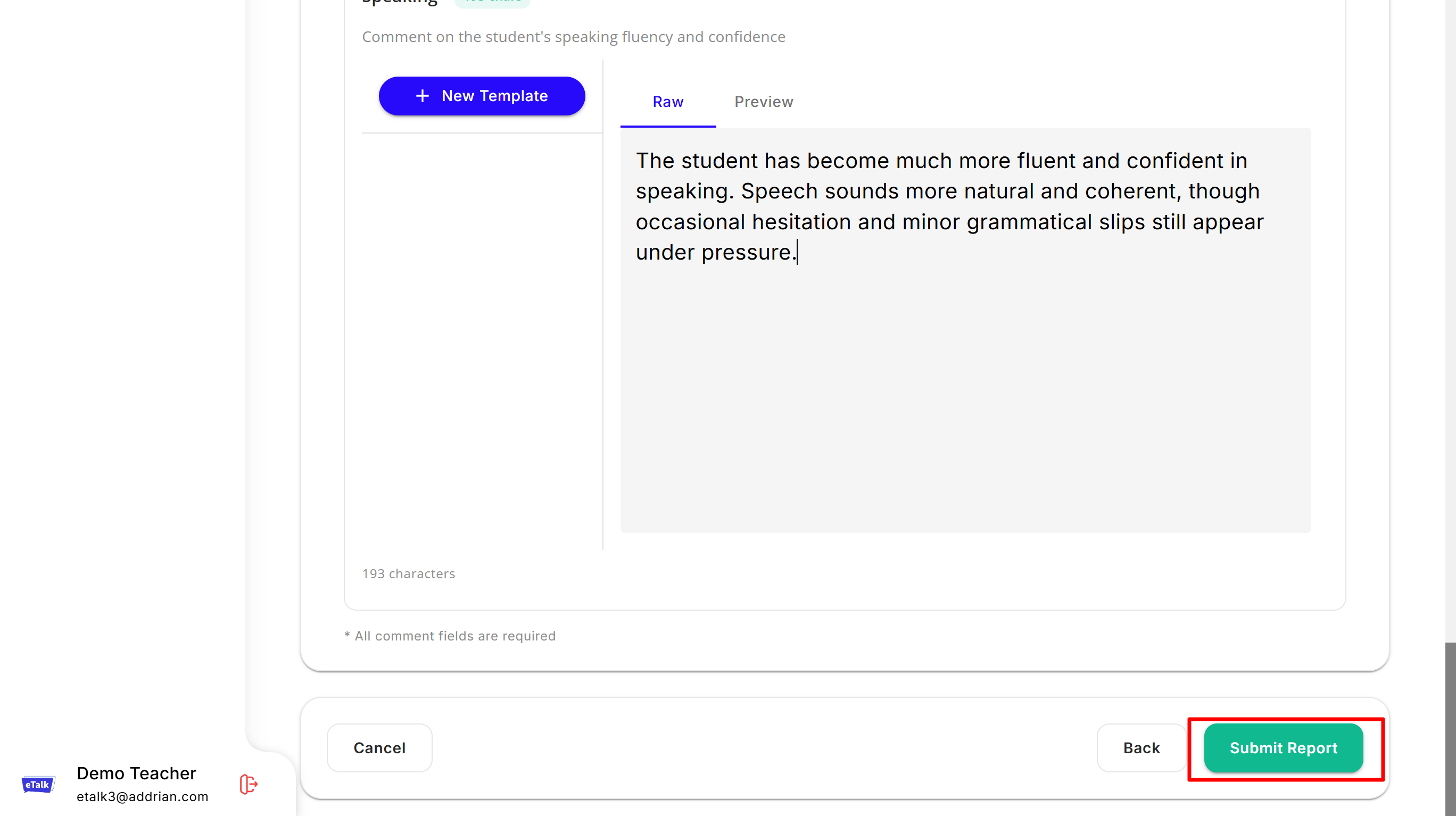
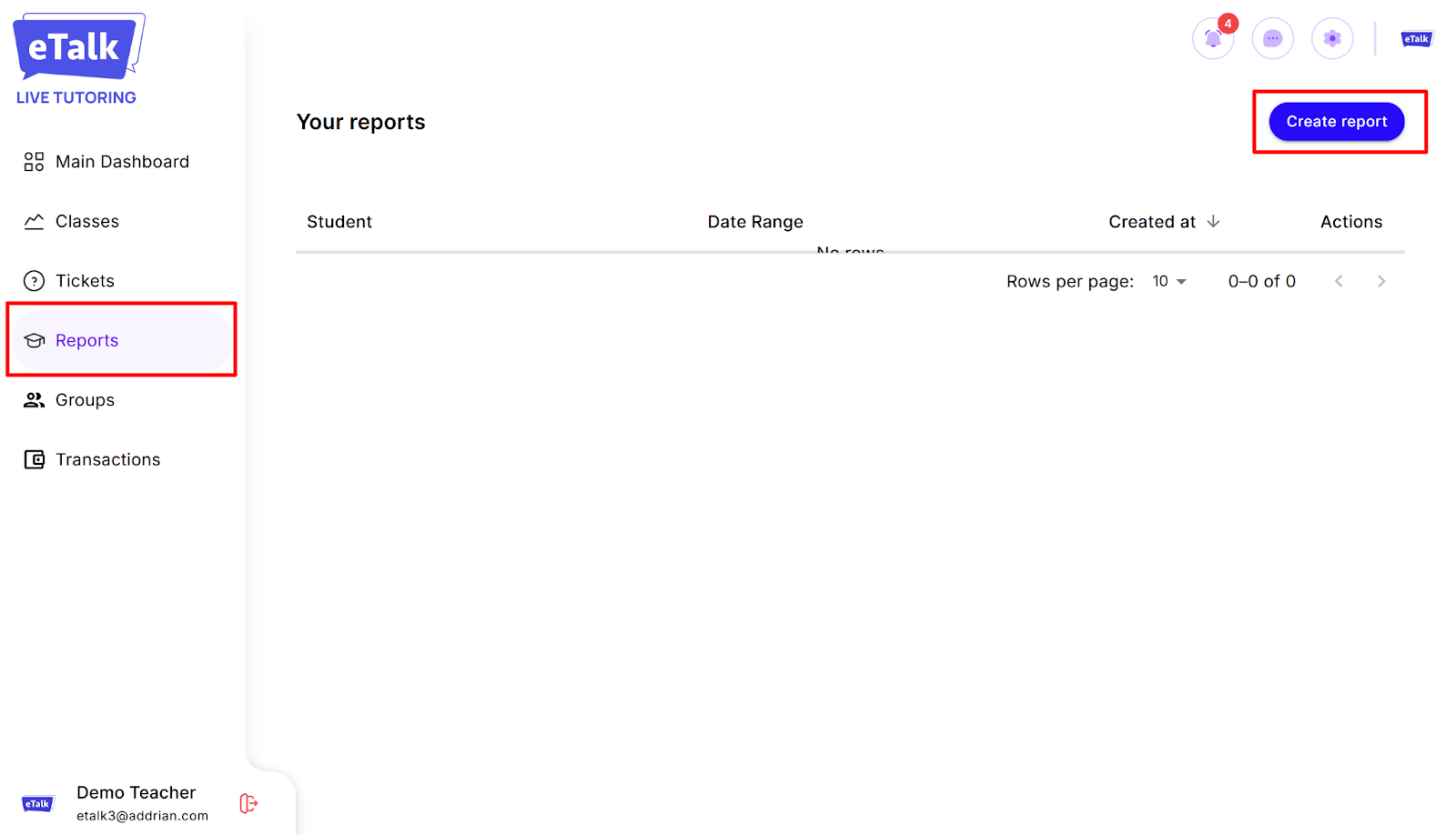
- Go to the “Reports” tab in your profile, then click on “Create report.”
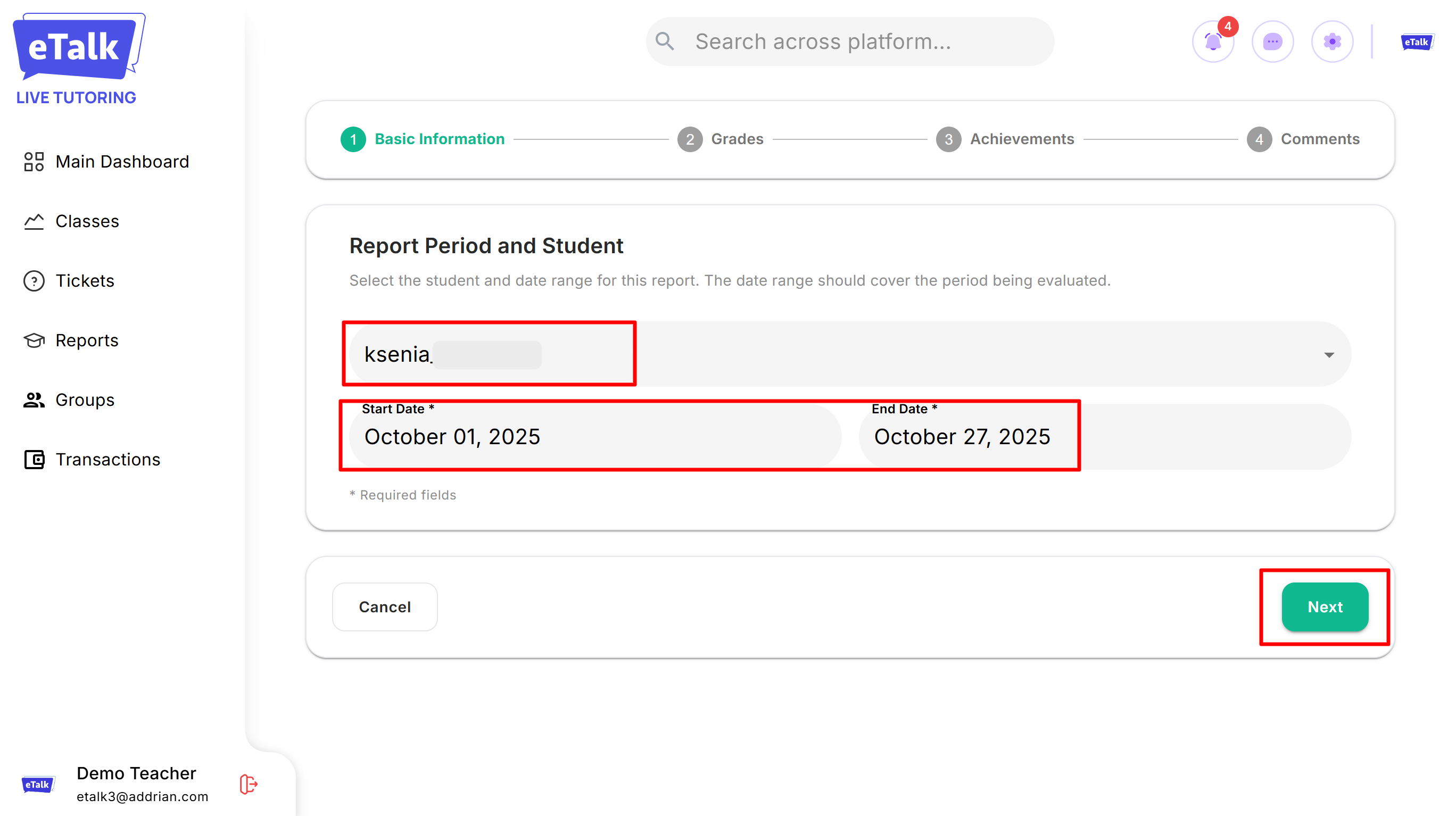
- Select the student, then specify the period for which you are reporting.
- If you worked with the student for a full calendar month (for example, from October 1 to October 31), specify the full month.
- If the lessons started in the middle of the month, specify the date of the first and last lesson for the month (for example, from October 13 to October 29).
Then click "Next".
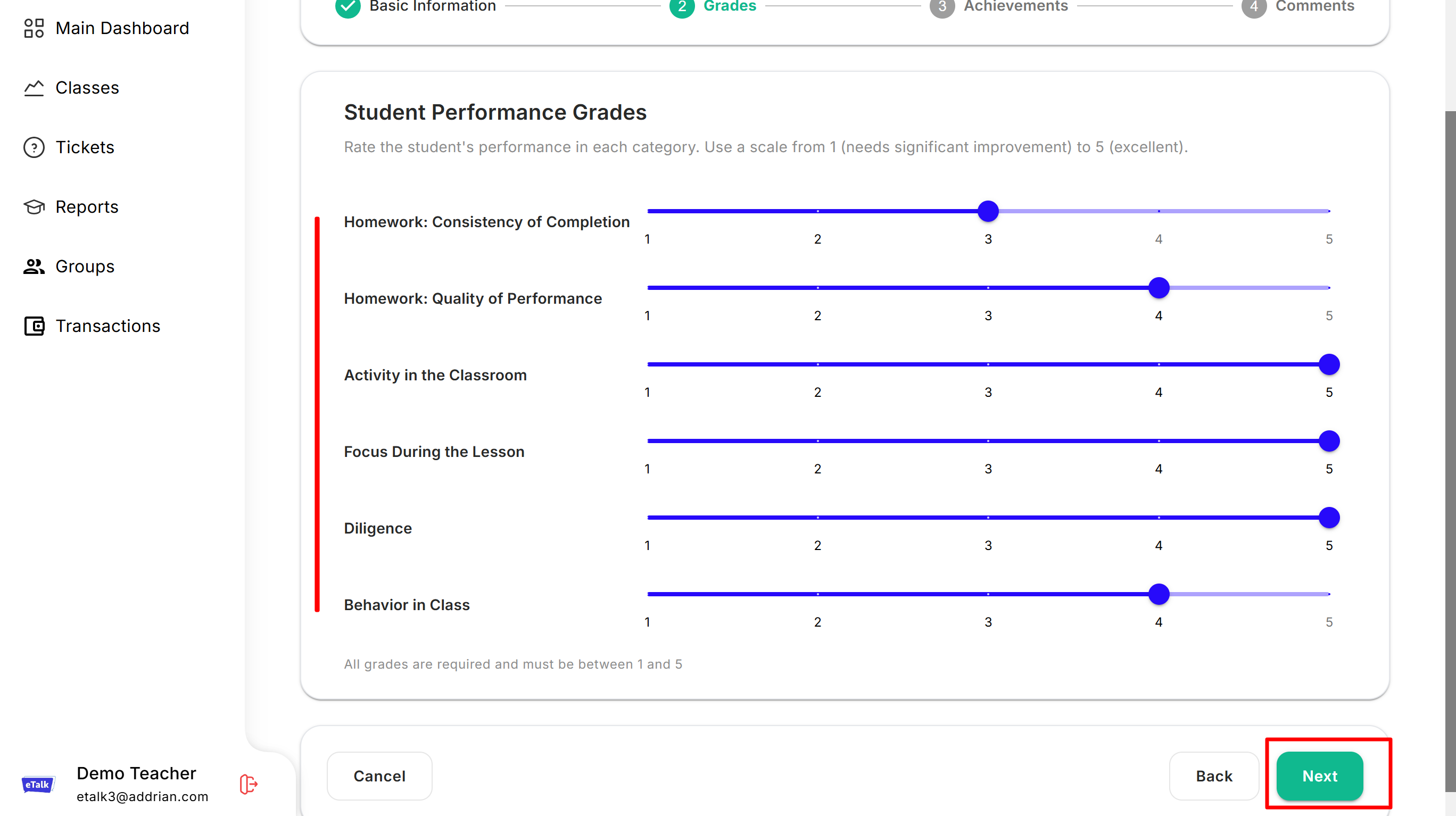
- Fill in each item in the “Grades” section.
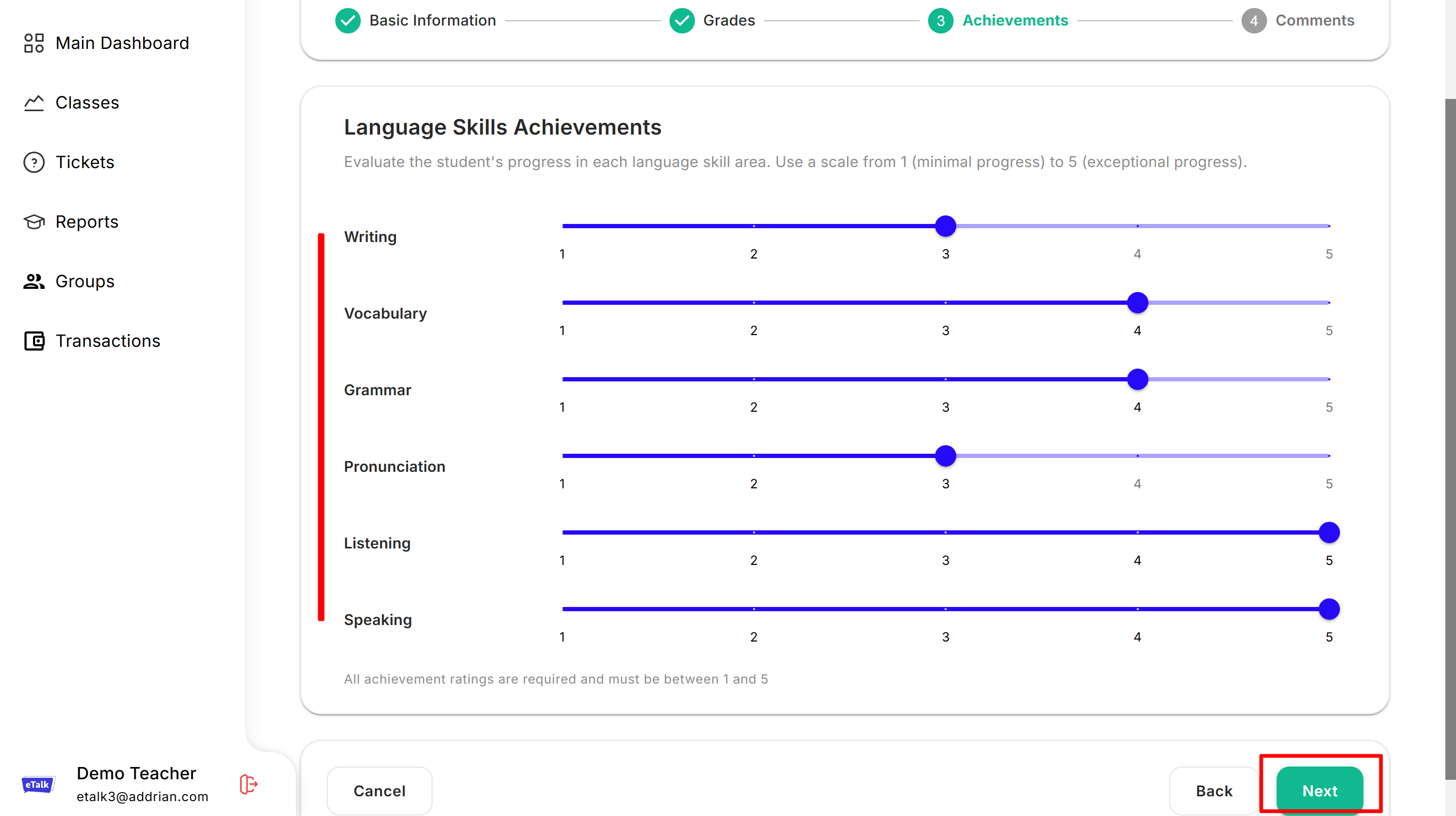
Each category can be rated from 1 to 5, where 1 is a low grade and 5 is a high grade.
- Then do the same for the “Achievements” section.
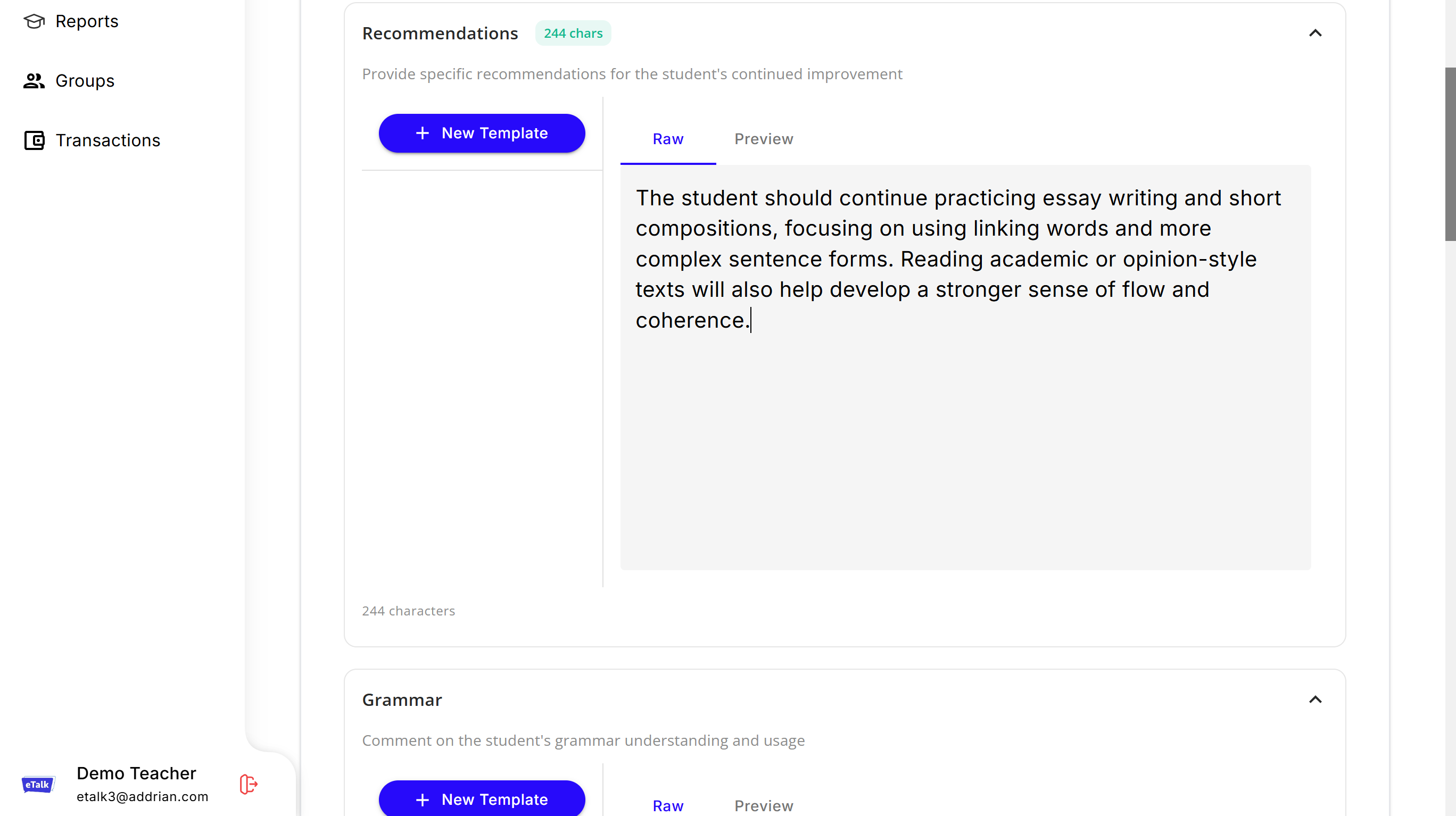
- In the “Comments” section, write a more detailed response. You can point out the student's strengths and weaknesses, what needs attention, and give recommendations for improvement.
- Once you have completed filling out the report, click "Submit".